The selected shape is inspired by a traditional Japanese design element known as Kasumi-mon (霞紋), which translates to a mist or haze motif.
Here is a simple way to create this graphic style in Adobe Illustrator:
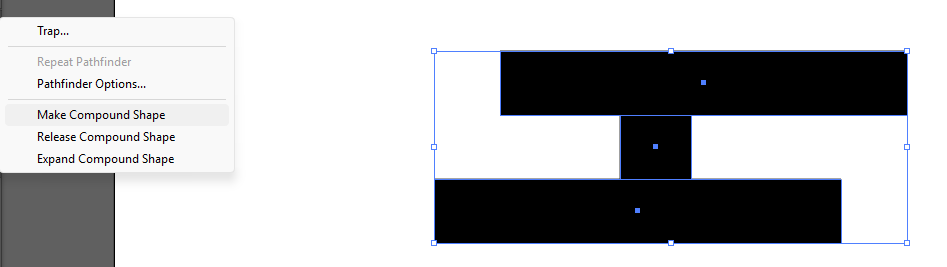
Step 1: Create a rectangle shape. Select the shapes, group them, and choose Make Compound Shape under the Pathfinder panel.
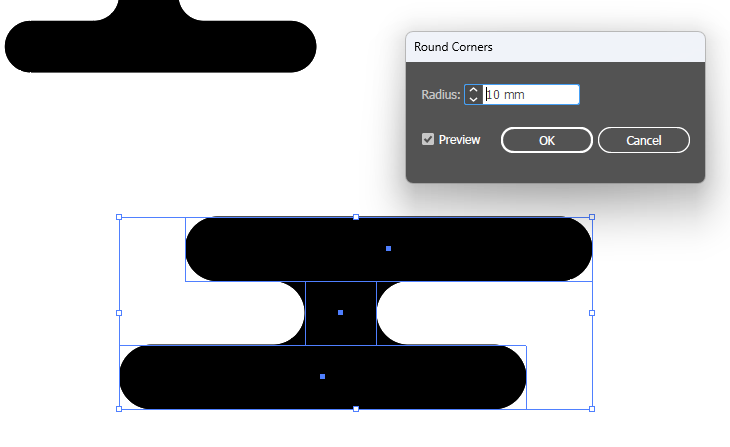
Step 2: Go to the Appearance panel and apply the Stylize >> Round Corners effect. You will then get the rounded box effect. Adjust the Radius value to control how round the corners are.
The advantage of using this method is that when you move or adjust the rectangle shapes, the rounded corners will automatically update while maintaining the same smooth, rounded effect.
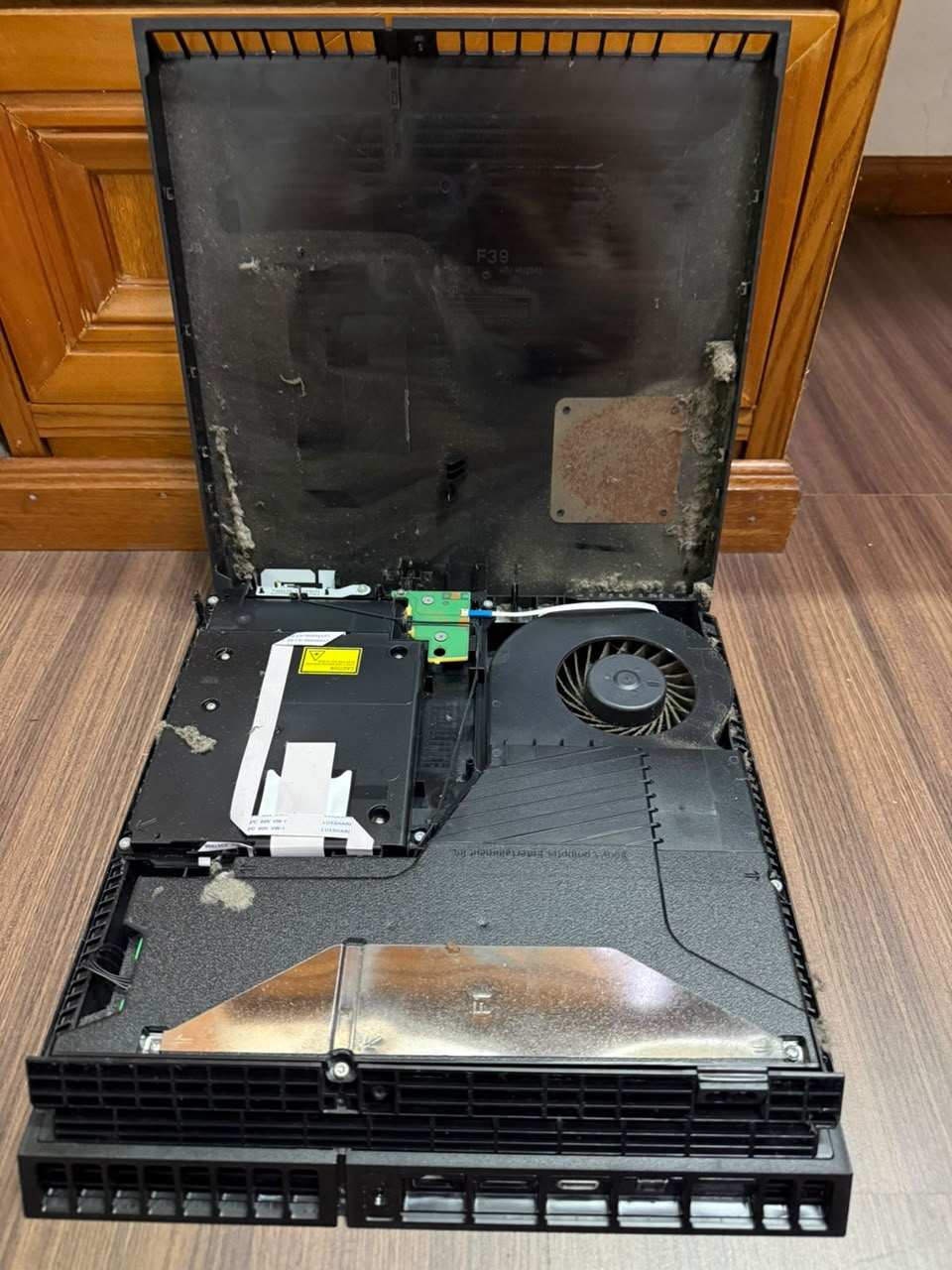
I Decided to Repair It Myself. Back in 2023, I bought a second-hand 2016 PlayStation 4 Pro 500GB from a friend. The deal was quite attractive. It included:
PS4 Pro console
4 PS4 controllers
13 PS4 games
At that time, the PS5 had already been released for about three years, while this PS4 Pro was already around seven years old. Some people might have suggested that I should just buy a PS5 instead.
But after considering it, I decided to go with the PS4 Pro. Why not? It came with four controllers and 13 games, and most importantly, my kids could enjoy playing together.
The Kids Were Very Happy During the year-end school holiday, the kids happily played the PS4. It was great to see them enjoying the games together. But after only a few days…
The PS4 suddenly wouldn’t turn on anymore. Haha! 😅 At first, I thought:
“Maybe this is the end of its life.”
After all, this was already a seven-year-old console. And maybe this was also a good opportunity to stop the kids from playing too much!
So I didn’t immediately send it to a game shop for repair. Instead, I put the PS4 in a drawer and left it there for a few months.
The Kids Asked Me to Fix It
After some time, the kids started asking me again:
“Dad, can you fix the PS4?”
They really wanted to play it again. Eventually, I decided to bring it to a game shop and ask about the repair cost. I suspected that the problem might be the power supply, because my friend had previously replaced the power supply in this PS4.
The same game shop had also checked the console for my friend before. When my friend asked previously, he was told that the repair would cost around RM220. But when I asked this time, the shop quoted me around:
RM280
I started thinking… RM280 for repairing an old PS4 Pro?Maybe I should try fixing it myself.
I Decided to Buy the Power Supply
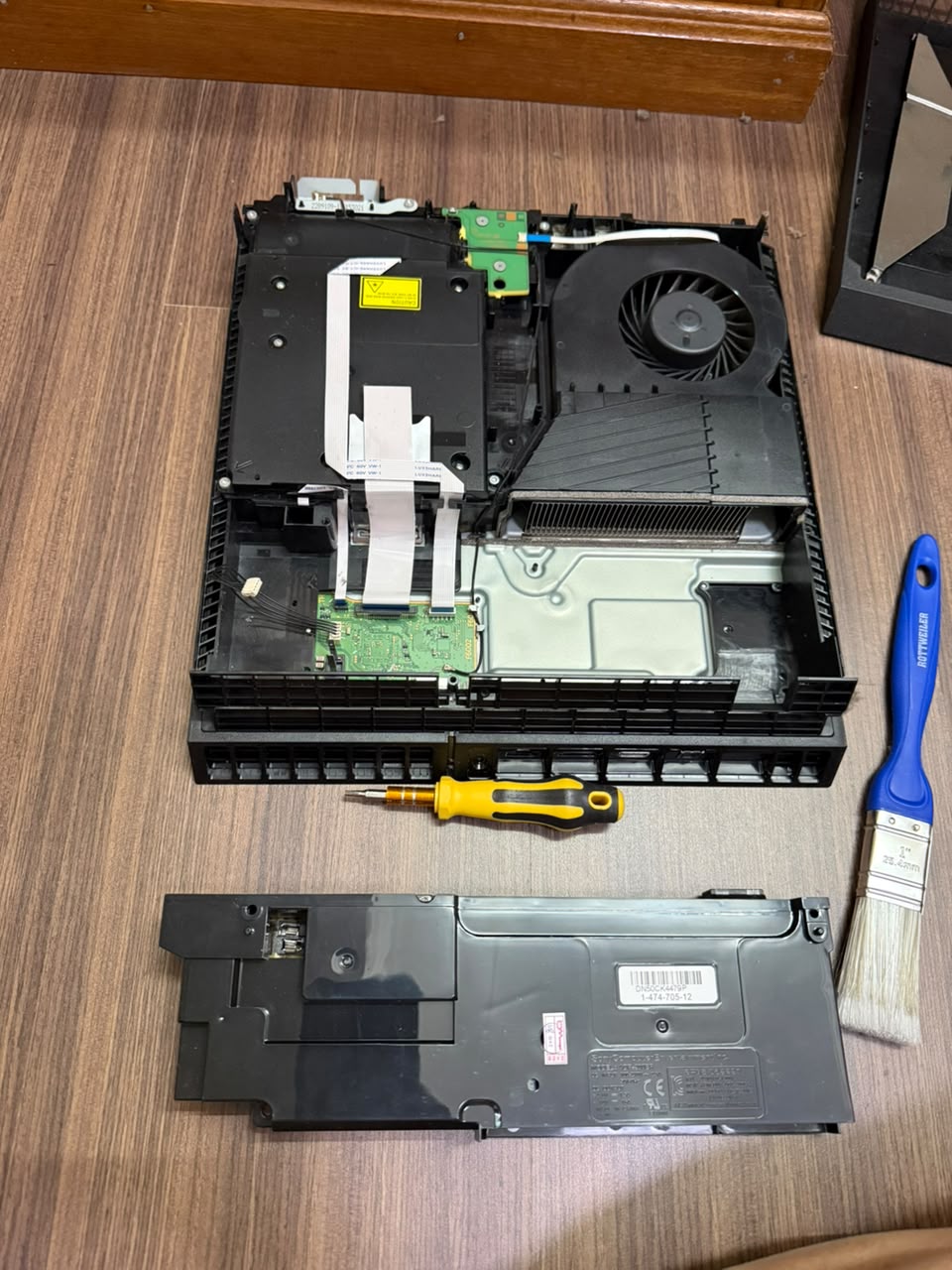
Instead of paying the game shop RM280, I decided to buy a replacement power supply from Shopee and try to repair the PS4 myself. The replacement part I bought was:
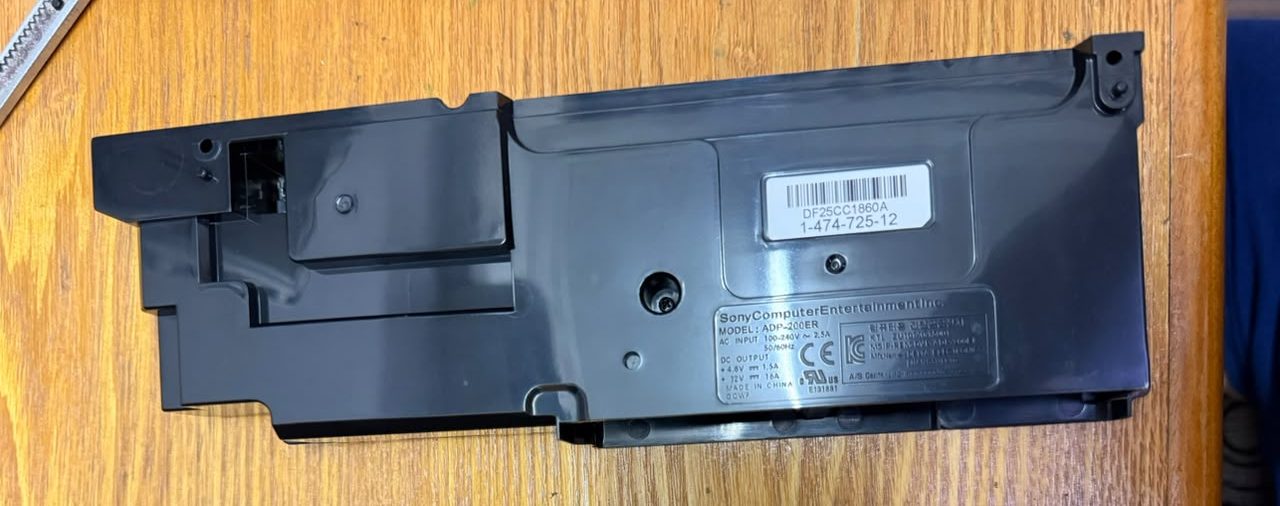
ADP-200ER PS4 Power Supply
Price:
RM116.95 — including delivery That was considerably cheaper than the RM280 repair quote. Of course, there was still one problem…
Would I actually be able to fix it? 😅 I had never repaired a PS4 power supply before. But since the PS4 was already sitting unused in the drawer, I thought:
“If I break it, it can’t get much worse!” 😂
So I decided to give it a try. This is where my PS4 repair adventure began…
That’s great! 😄 It sounds like the PS4 diagnosis turned out to be correct: the original power supply had failed, and replacing it with an aftermarket PSU brought the console back to life.
And honestly, this was a very worthwhile experiment: You also gained some useful hands-on repair experience. Sometimes an old electronic device looks “dead”, but one failed component can be the whole problem.
Definitely a successful repair + money-saving experiment.
This is actually a good philosophy for your hardware projects: don’t be afraid of old machines—use them as your training ground.
I hadn’t turned on my iMac for a long time. It was once my backup computer, running OSX Snow Leopard, The operating system had become very outdated, with many limitations. I mainly used it for watching movies, editing photos, and creating videos with iMovie.
Recently, I decided to give it a second life by updating it to the latest macOS it officially supports.
OS X El Capitan USB installer to perform a clean installation, and it was successful. After that, I copied VLC Media Player from my Mac Pro, and it was able to play most of my MKV movie files without any issues.
Once El Capitan was installed, I started researching the newest macOS that this iMac could officially run. I then upgraded through each supported version:
Snow Leopard 2009 >> El Capitan 2015 >> Sierra 2016 >> High Sierra 2017
The entire upgrade process took around 1–2 days to complete. The original hard drive was probably the biggest bottleneck, making the installation and updates extremely slow.
Should update HDD >> SSD to get better performance. * Next target update 1). HDD >> SSD 1TB 2). 4 x 2gb = 8gb >> 4 x 4gb = 16gb
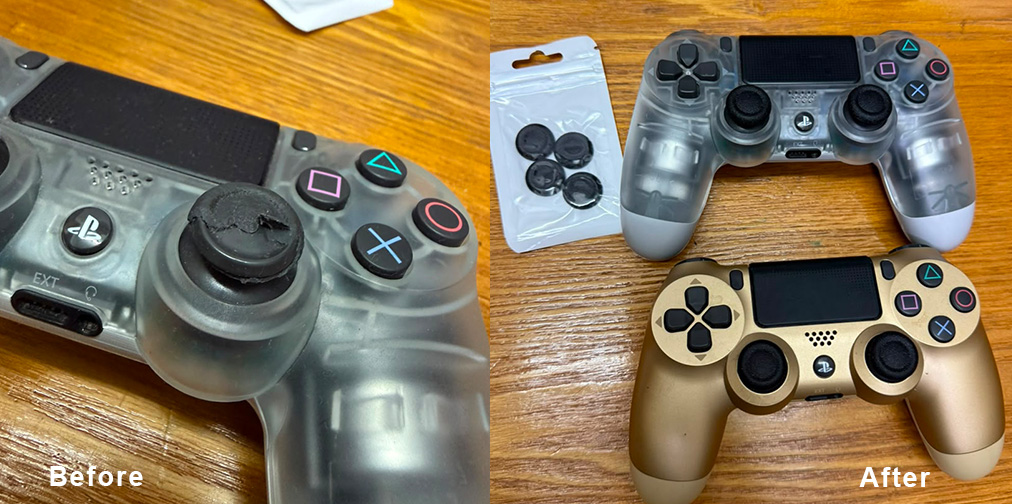
The second thing I did was install OpenEmu, transforming this old iMac into an excellent retro gaming and media system, With a PS4 DualShock controller, it becomes a perfect setup for classic console games while still serving as a great machine for watching movies and everyday use.
After 17 years, this iMac has a new lease on life. ( very enjoying the upgrade process)
For a computer released in 2009, I’m impressed by how capable it still is. With an SSD, 16GB of RAM, and High Sierra, it remains a useful machine for media playback, light creative work, retro gaming, and running many classic applications.
Next, will try install some software and try the old beast limit.